How to Publish Playable Ads on Meta
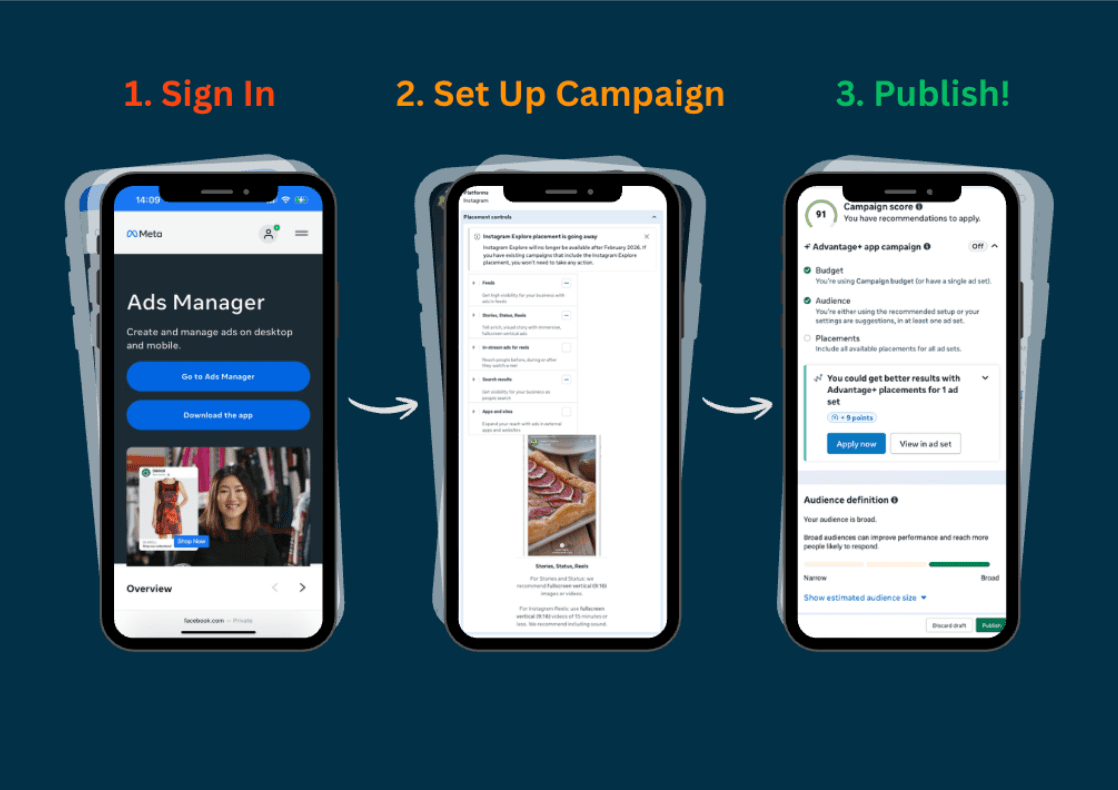
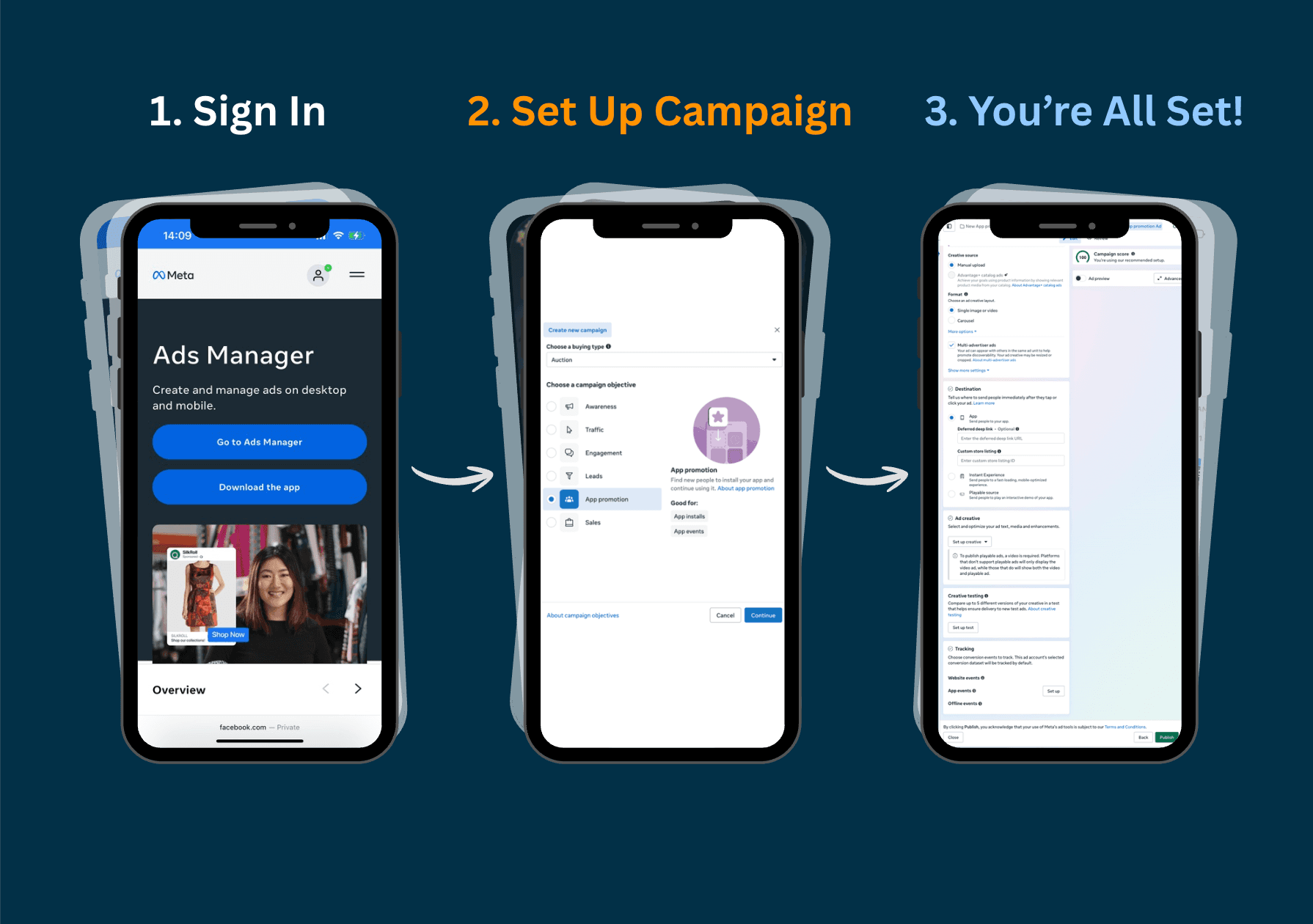
Before we dive into the technicalities, you need to be in the right place. To launch any ad on Meta, you will use the Meta Ads Manager. If you already have a Business Account: Simply head to adsmanager.facebook.com and log in.
Getting Started: Accessing Meta Ads Manager
Before we dive into the technicalities, you need to be in the right place. To launch any ad on Meta, you will use the Meta Ads Manager.
If you already have a Business Account: Simply head to adsmanager.facebook.com and log in.
If you are new to Meta Ads:
- Go to the Meta Business Suite to create your business account.
- Set up your Business Page and Ad Account.
- Link your payment method (this is required before you can publish).
Once you’re logged in and your dashboard is active, you’re ready to follow the steps below to build your first high-performance playable.
Step-by-Step: Launching in Meta Ads Manager
To get the most out of Meta’s AI-driven ecosystem, follow this streamlined workflow:
Step 1: Export Your Creative
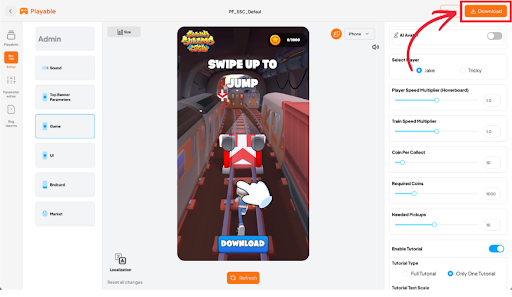
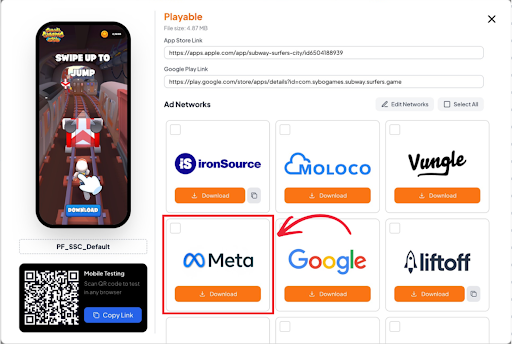
Head to your concept in the Playable Factory platform. Click Download in the top-right corner and select the 'Meta' export format. This automatically optimizes the code for Meta’s specific requirements.
Step 2: Initialize the Campaign
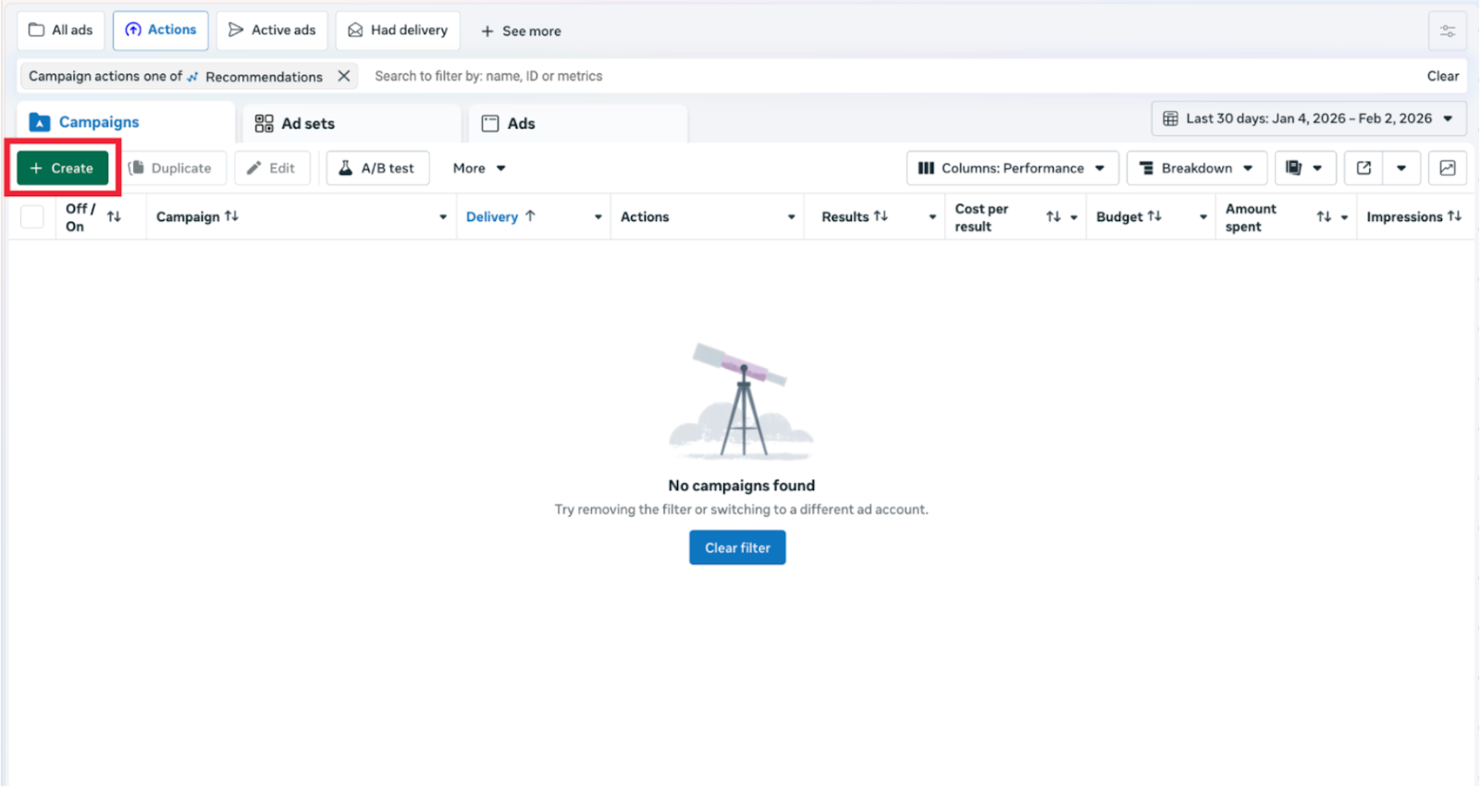
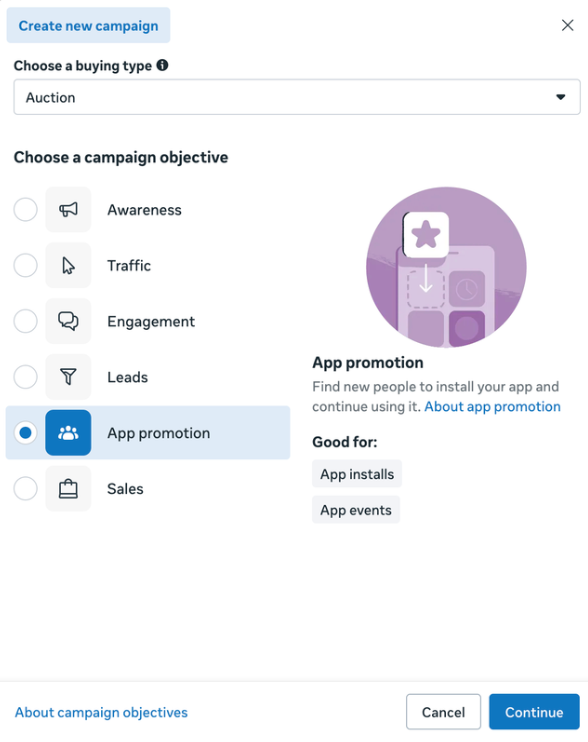
Open Meta Ads Manager and click + Create. Select App Promotion (the gold standard for playables). For your initial launch, choose Manual App Promotion, this gives you the granular control needed to ensure the playable format is correctly activated.
Step 3: Adjust the Settings According to Your Needs
Name your campaign and decide if you want to use Advantage+ Campaign (automated) or Manual. For your first playable, Manual App Promotion is often better to ensure the "Playable" format is correctly selected.
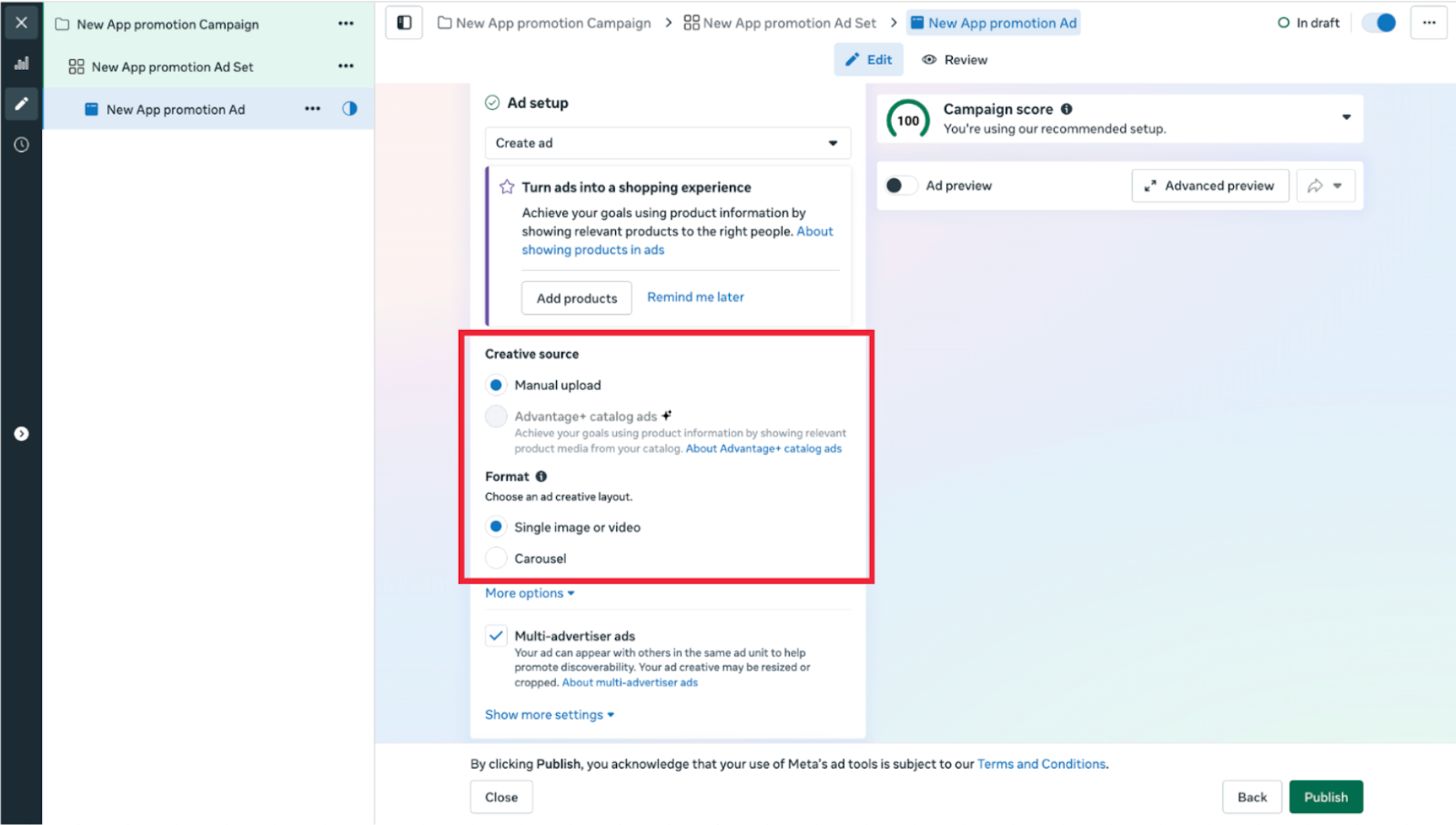
Step 4: In the "Ad Setup" section, select Single Image or Video
- Upload your teaser video. This is the "hook" that plays in the feed.
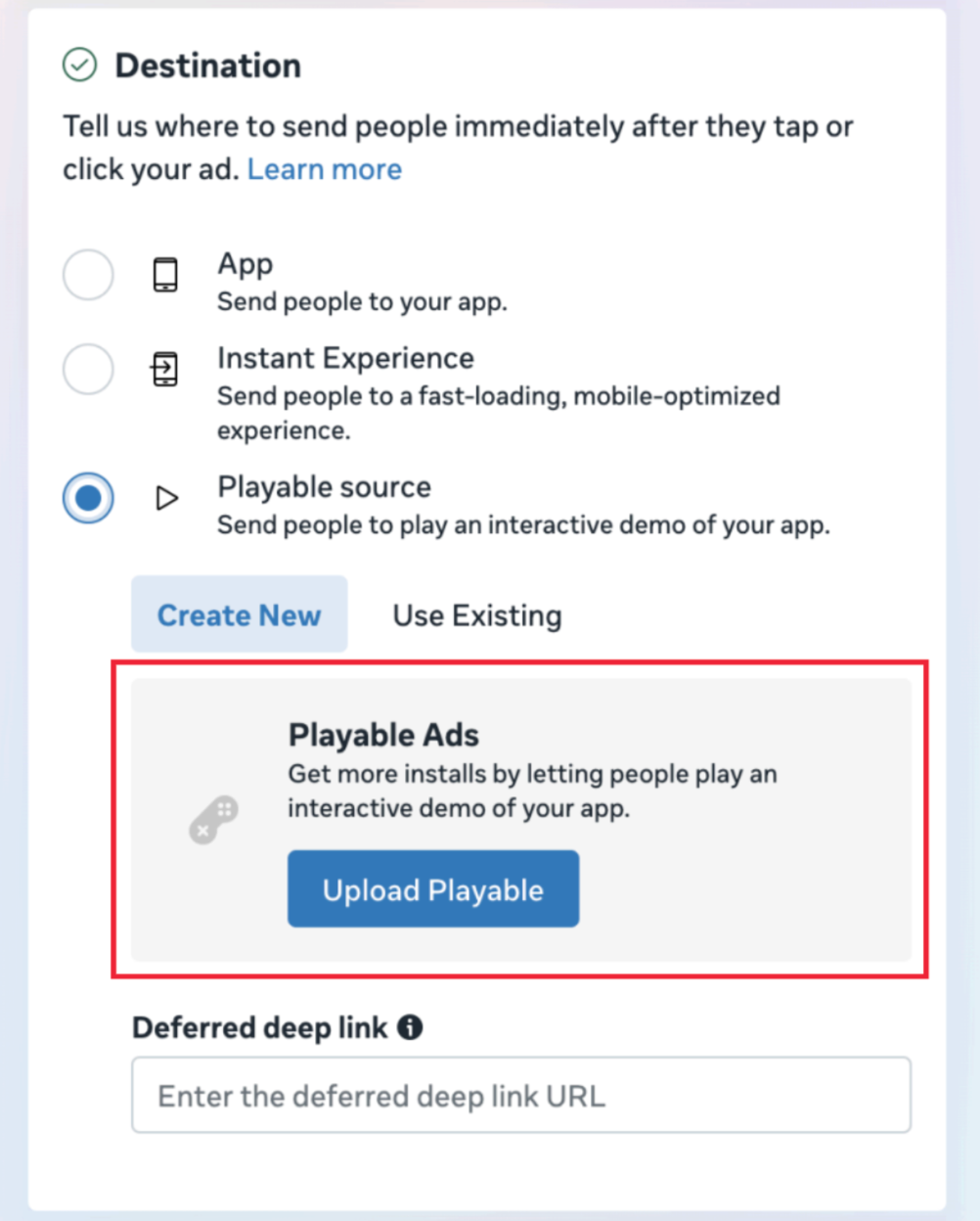
- Scroll down to the Destination section. Toggle the Add Playable Source checkbox.
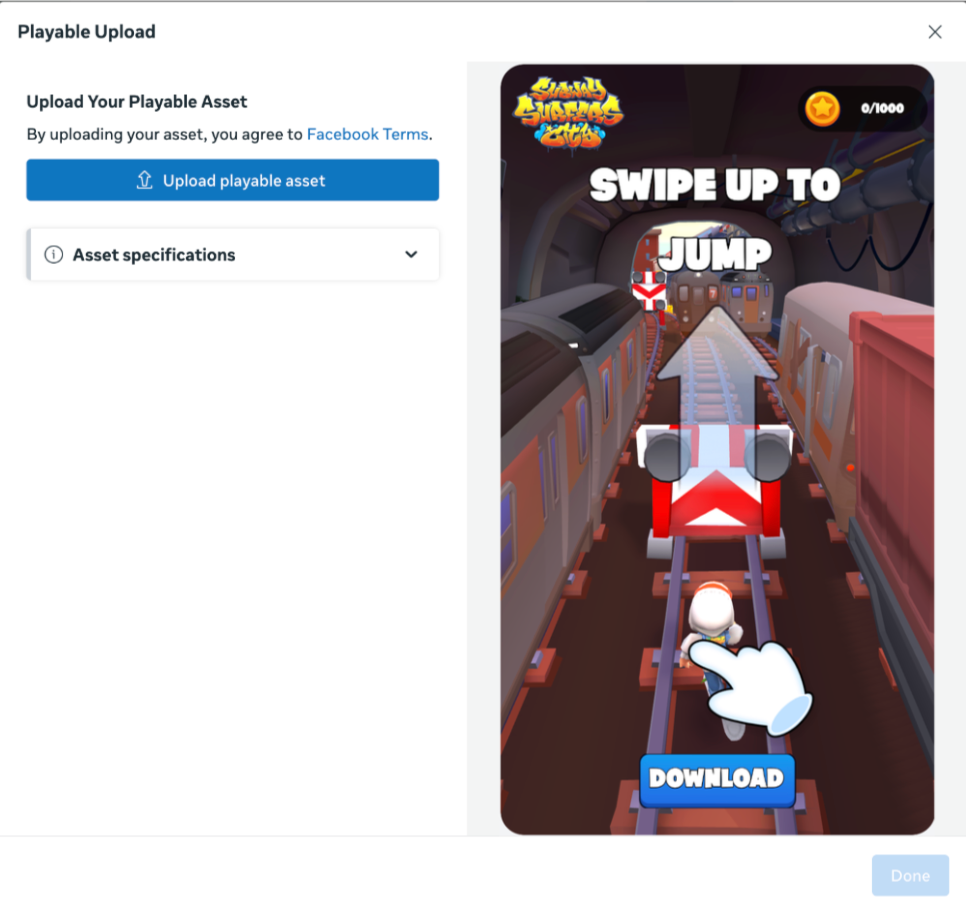
- Upload the playable file you downloaded.
Step 5: Preview & Go Live
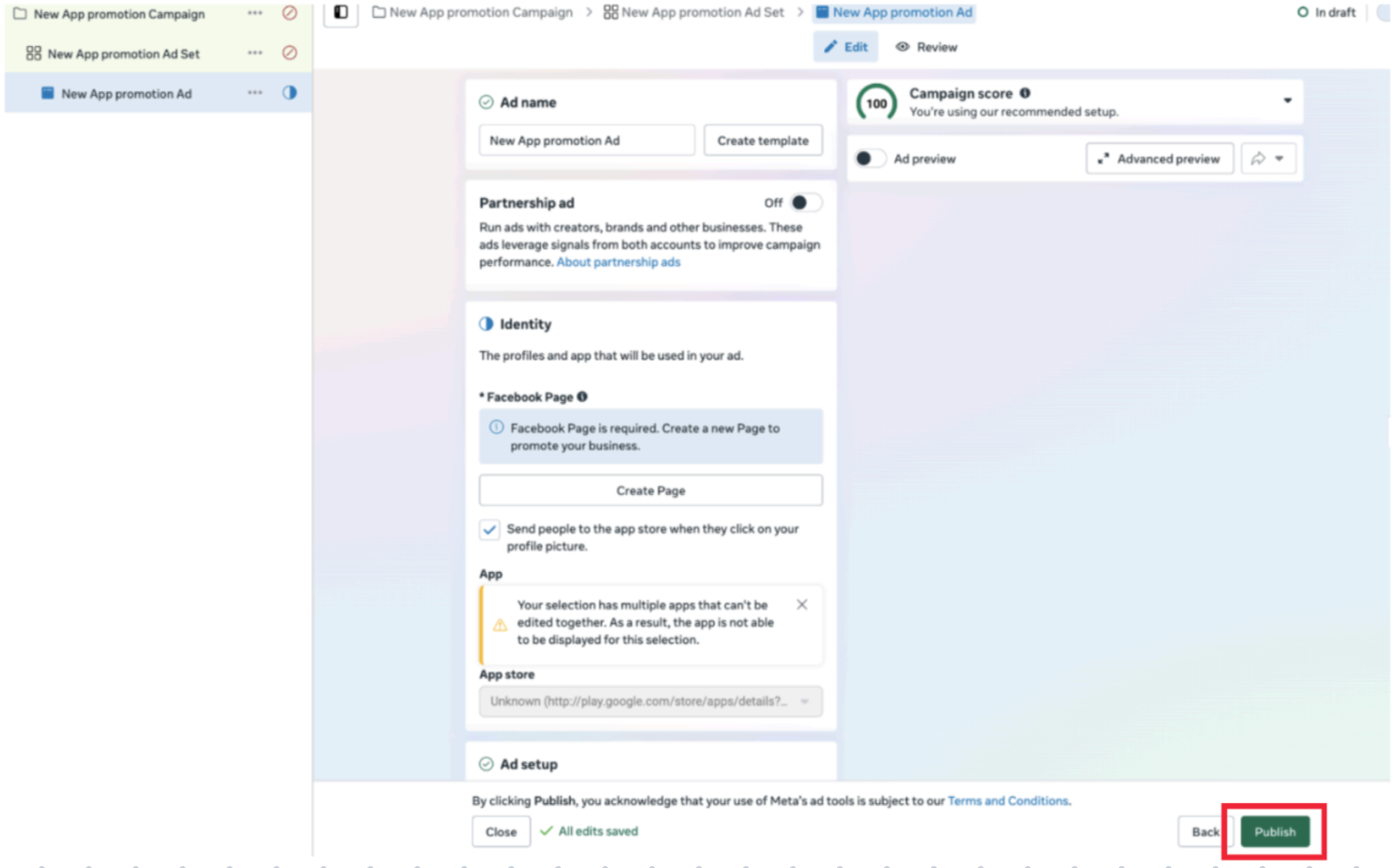
Use the Preview Panel on the right. Test the transition, the video should play, and clicking "Try Now" should instantly launch the interactive experience. If it looks good, hit Publish.
You are ready! You can publish your campaign! 🚀
Ready to launch your first Meta playable? 🎯